
Questions pile up in manager DMs
Branch, site, and field employees need answers while the office is busy, so managers become the help desk for every shift and location.

Sawabot for Work
Give approved employees across branches, sites, and field teams instant answers from company knowledge, with source citations and human handoff when needed.
 Approved Users Only
  Human Handoff Built In
  Sources Cited
 The problem
Branch, site, and field employees need answers while the office is busy, so managers become the help desk for every shift and location.

Leave, safety, expenses, maintenance, delivery notes, and branch procedures get buried in PDFs and old links.

When documents live across drives, chats, and informal notes, teams guess which instruction is current.
The solution
Distributed teams ask in the channel they already use. Sawabot answers from approved sources, collects routine requests, and hands off to the right person when judgement is needed.

Employees get the right policy, form, or instruction without waiting for a manager.

If the agent does not know or the request needs judgement, it tags the right human.

Night shift, field team, weekend issue - the agent is available when the office is not.
AI Search
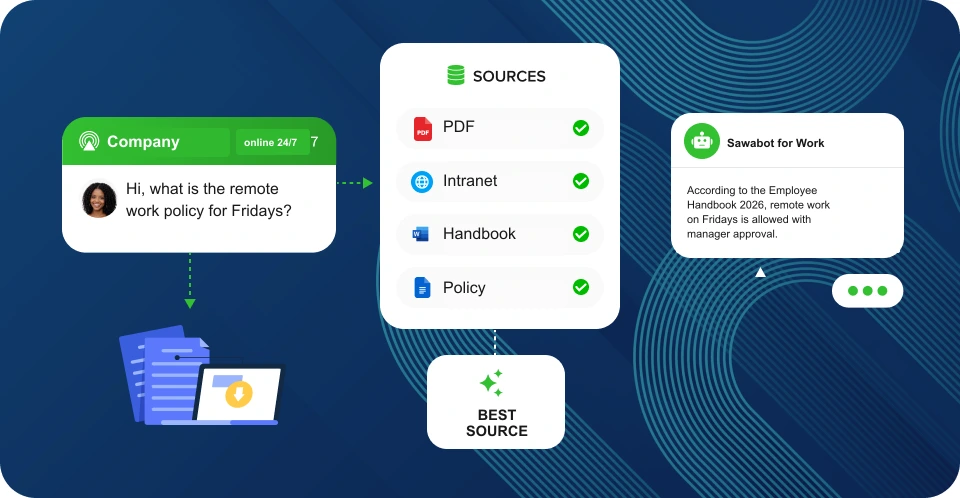
Sawabot looks through approved documents, finds the relevant passage, and answers with the source attached. Employees stop asking managers where the policy lives.

Handbooks, SOPs, policies, forms, onboarding packs, and internal guides.

Every answer can show the document, section, or file it came from.

Only approved employees and collaborators can search internal knowledge.
Private access
Only approved employees and collaborators can interact with the assistant. Unknown users see an unauthorized message and can request access.
Admins decide who can interact with the assistant before company knowledge or internal tools are exposed.
Anyone not on the list gets a clear unauthorized message and a way to ask an admin for access.
Requests reach an admin, who can approve or deny the person before they use the AI assistant.
Practical ways to use it
Safety procedures, job checklists, field instructions, site rules, and escalation paths.
Leave policy, benefits, handbook answers, payroll deadlines, and manager handoff for exceptions.
Store procedures, pricing questions, opening tasks, local issues, and branch support requests.
Delivery notes, vehicle checks, equipment issues, maintenance steps, and IT or access handoff.
First-week checklists, company documents, SOPs, tool setup, and who to contact.
Off-policy requests, expense advances, schedule changes, sensitive incidents, and approvals route to the right person.
Start simple, grow deeper
Sawabot for Work helps teams search approved knowledge, ask policy questions, and route routine requests to HR, managers, or the software your company already uses.
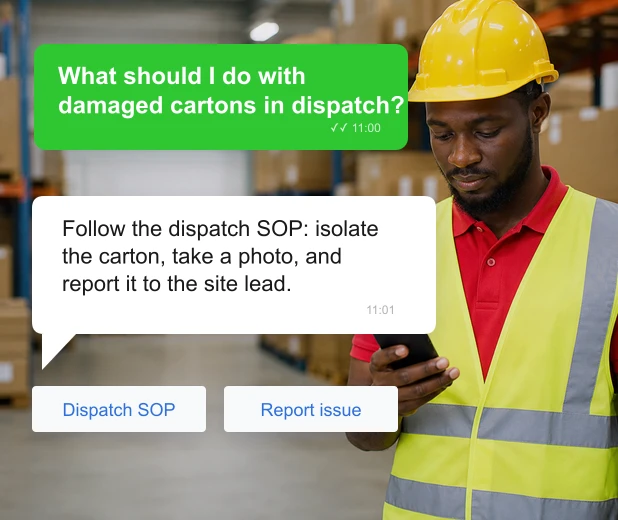
Warehouse, branch, site, logistics, and maintenance teams can ask about SOPs, safety steps, delivery rules, and checklists from WhatsApp.
 No internal-system integration required Searches approved SOPs and policy packs, not the public internet Unknown users must request access first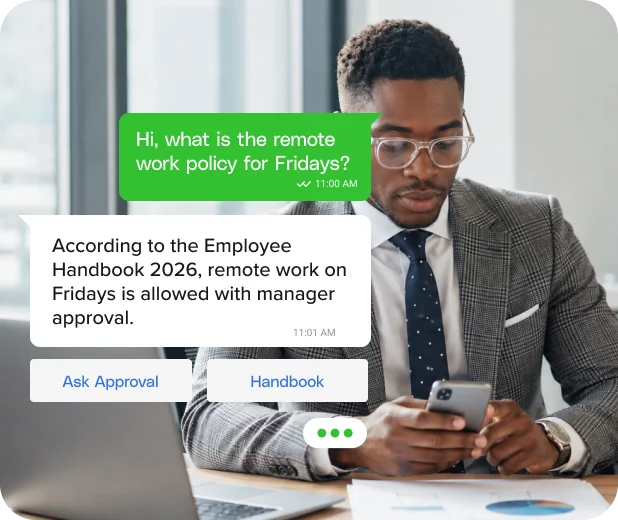
Distributed staff can ask about remote work, expenses, onboarding, company rules, and internal procedures without searching through PDFs or old links.
Every answer can point back to the handbook, policy, or source file Exceptions can be routed to a manager for approval Employees stay inside WhatsApp 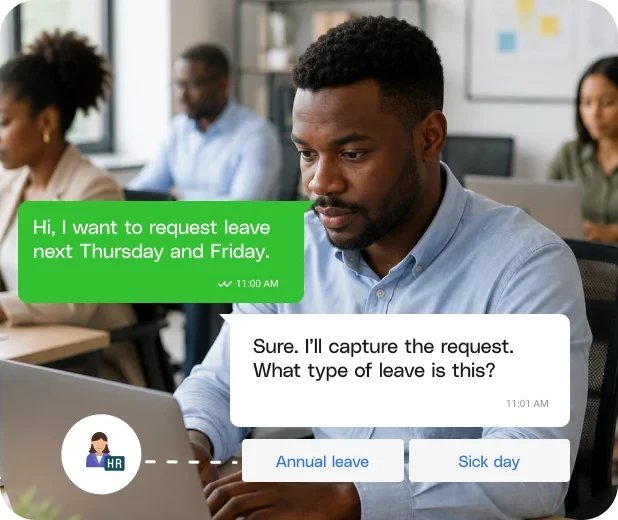
For approved employees, the assistant can collect leave, expense, IT, onboarding, and admin requests, then send them to HR, a manager, or your HR software.
Connects to HR software, helpdesks, sheets, or calendars Sensitive actions can require manager approval Conversation keeps the request history visible Humans in control
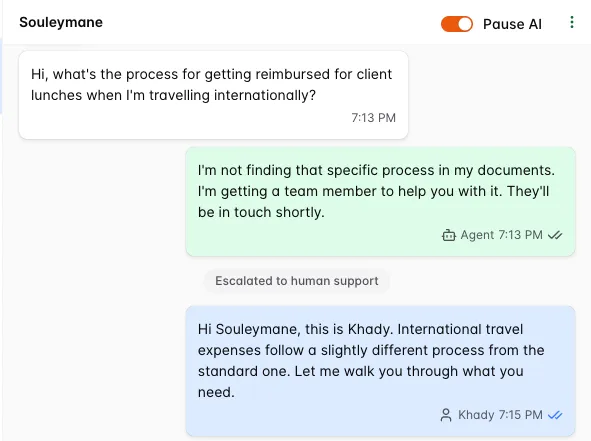
Sawabot for Work does not replace your managers. It answers what is predictable, captures what is missing, and escalates when a request needs a person.
Reply directly in any employee thread.
Stop the agent on a sensitive request.
See what was answered, requested, and escalated.
Powered by your data
Start with files and handbooks. Add drives, wikis, and internal tools as the agent grows.

PDFs, handbooks, SOPs, onboarding packs, policy files, forms.

Google Drive, Google Docs, company wiki, Q&A pairs, approved pages.

HR software, payroll, helpdesk, inventory, and custom systems through approved connectors.
Why WhatsApp
No new portal to learn. No app rollout. No training campaign. Distributed teams ask in WhatsApp, and approved people get the answer or request flow they need.

Trust
Sawabot is a Meta Tech Partner with direct integration to Meta. We do not train models on your team's conversations or your internal documents.
 Meta Tech Partner
  WhatsApp Business API
  Approved Users Only
  Human Handoff Built In

